Firefox Productivity: Auto Tab Groups and a Private Mode AppleScript Trick
I have been struggling with the question, which web browser I want to use and which one I like most. Sadly, choosing a browser isn't purely a technical decision any longer. But this should not be the topic of this post. Currently, I am settling on Firefox, even though it got hit by some fair criticism for the company strategy. Today, I would like to share two tips.
Auto Tab Groups
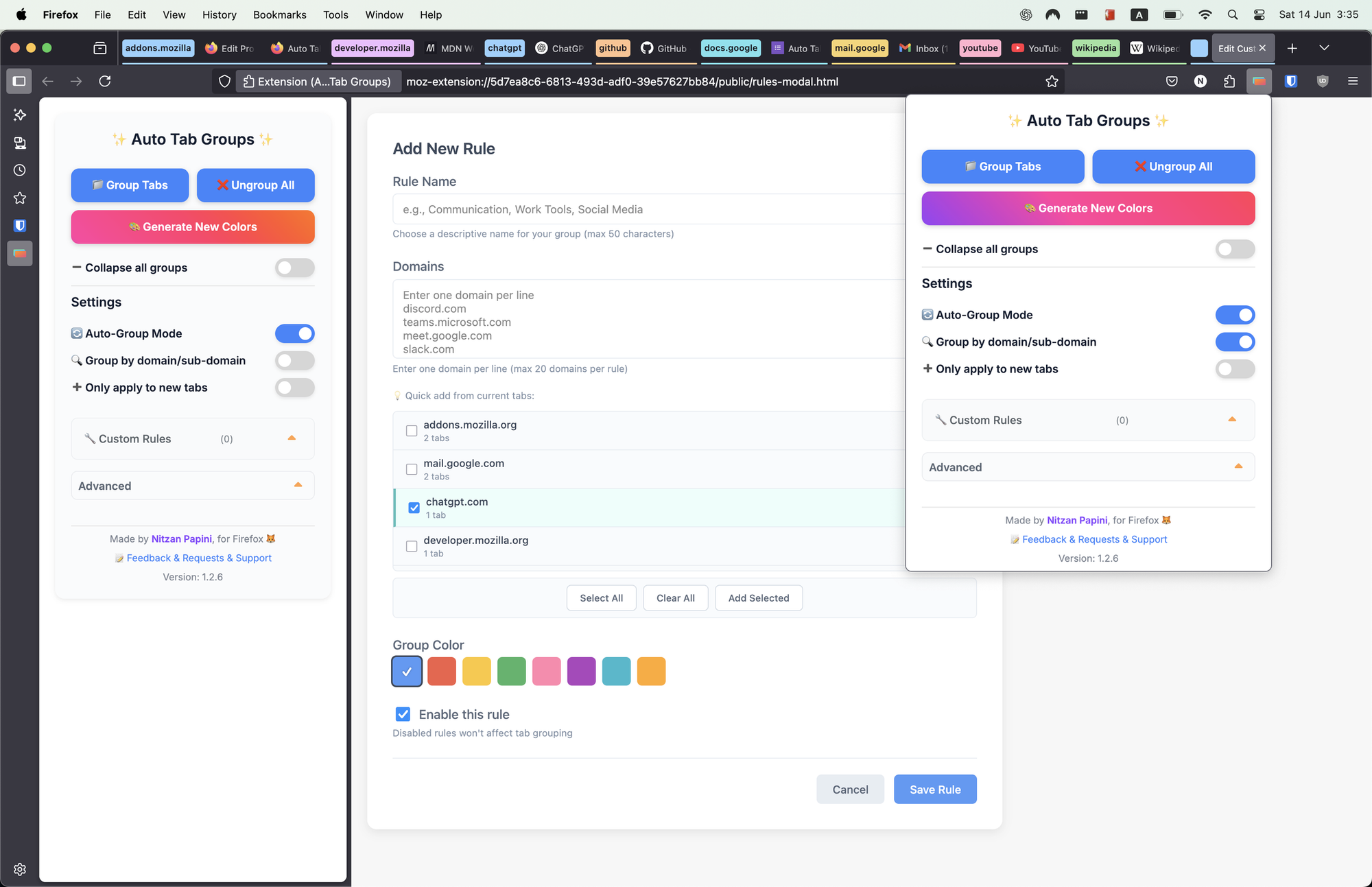
Auto Tab Groups is an extension for Firefox and Chrome, that I really started to enjoy. It automatically groups tabs into the new tab groups introduced in Firefox 141. Either based on rules or based on the domain name. This helped me a lot to wrestle with the tons of tabs I open every day and tend to forget. Everything is nicely grouped and easy to access, hide, and show. A game changer for my productivity.
Starting Firefox in private mode from Choosy
I heavily rely on the app launcher Choosy as my default browser on macOS. With this wonderful tool, I can easily route websites to various browsers or easily choose, on demand, with which browser I want to use in a given situation or during debugging issues in my projects.
One shortcoming of Choosy in combination with Firefox is, that it can't open a URL in a private browsing session in Firefox out of the box. For Chromium-based browser, it offers this out of the box.
But it's easy to solve, if you create a small AppleScript application, that wraps a shell call to the Firefox binary. This binary can then be added to Choosy as a browser you can use in your configuration.
Here is my shell script to create this application as /Applications/Firefox Private.app.
#!/bin/bash

osacompile -o "/Applications/Firefox Private.app" <<'EOF'
on open location theURL
    do shell script "/Applications/Firefox.app/Contents/MacOS/firefox --private-window " & quoted form of theURL
end open location

on run
    do shell script "/Applications/Firefox.app/Contents/MacOS/firefox --private-window"
end run
EOF

/usr/libexec/PlistBuddy -c "Add :CFBundleURLTypes array" "/Applications/Firefox Private.app/Contents/Info.plist"
/usr/libexec/PlistBuddy -c "Add :CFBundleURLTypes:0 dict" "/Applications/Firefox Private.app/Contents/Info.plist"
/usr/libexec/PlistBuddy -c "Add :CFBundleURLTypes:0:CFBundleURLSchemes array" "/Applications/Firefox Private.app/Contents/Info.plist"
/usr/libexec/PlistBuddy -c "Add :CFBundleURLTypes:0:CFBundleURLSchemes:0 string http" "/Applications/Firefox Private.app/Contents/Info.plist"
/usr/libexec/PlistBuddy -c "Add :CFBundleURLTypes:0:CFBundleURLSchemes:1 string https" "/Applications/Firefox Private.app/Contents/Info.plist"
/usr/libexec/PlistBuddy -c "Add :LSUIElement bool true" "/Applications/Firefox Private.app/Contents/Info.plist"

/System/Library/Frameworks/CoreServices.framework/Frameworks/LaunchServices.framework/Support/lsregister -f "/Applications/Firefox Private.app"